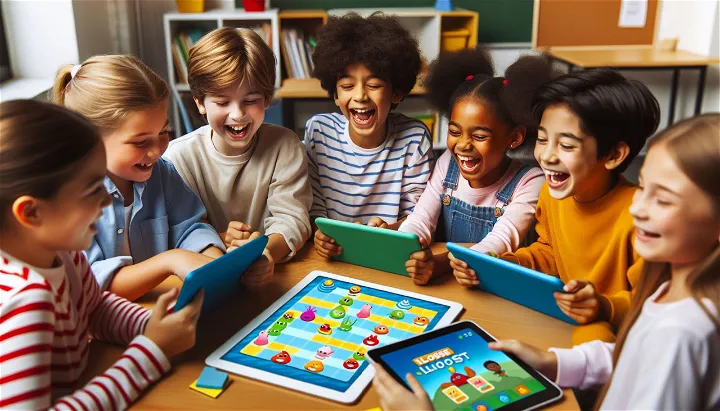
Learning in school does not have to feel slow or boring anymore. Today, the blooket game platform has changed how teachers run classroom reviews and how students study at home. Instead of staring at plain flashcards, kids get to play fast, colorful mini-games while answering quiz questions. Every right answer gives players coins, power-ups, or points to win the match.
I have watched quiet classrooms turn into rooms full of cheers within seconds of starting a round. Teachers love this online learning tool because it takes only two minutes to set up. Students love it because they get to collect cute characters and outsmart their friends. Whether you are a teacher, a parent, or a student, this guide will show you everything about how it works.
Platform Overview and Quick Facts
Before jumping into the top strategies, it helps to know the roots of this popular educational platform. Brothers Ben Stewart and Tom Stewart built the site to fix a big problem in traditional quiz apps. In older tools, one slow answer meant a student lost the whole match with no chance to catch up. They designed a system where luck, strategy, and smarts all work together.
| Platform Feature | Complete Details |
| Platform Name | Blooket |
| Founders | Ben Stewart and Tom Stewart |
| Development Started | 2018 (Middletown, Delaware) |
| Official Public Release | September 17, 2019 / 2020 |
| Primary Category | Game-Based Educational Learning Platform |
| Target Audience | Elementary, Middle, High School Students & Teachers |
| Supported Devices | Computers, Tablets, Chromebooks, Smartphones (Web-based) |
| Pricing Model | Free Starter Plan, Blooket Plus, and Group Plans |
| Max Live Players | Up to 60 (Free) and up to 10,000 (Plus/Custom) |
| Key Updates | Season 8, Claw Mania, Snake Escape, Khanmigo AI Generator |
What Is a Blooket Game and How Does It Work?
At its core, a blooket game is a web-based quiz platform that blends school questions with arcade-style fun. You do not need to download any heavy software or buy special gaming gear to start. Anyone with a web browser and an internet connection can open the site and jump straight into a match.
The flow of every match is super simple to follow. First, a host picks a question set covering math, science, history, or creative arts. Next, the host chooses a specific game mode and shares a unique join code on the board. Players type in that code, pick a cute square character called a Blook, and begin answering questions.
Why Teachers and Students Love This Learning Platform
Traditional worksheets often make students feel tired before they even write their names at the top. A blooket game flips that feeling by turning study time into a friendly competition. Even shy students who rarely raise their hands feel excited to participate and test their knowledge.
From a teacher’s perspective, this tool saves hours of prep time every single week. Educators can search millions of community-made question sets or use AI tools to build custom quizzes in seconds. Best of all, the site creates detailed score reports after every session. Teachers can instantly see which topics need more review during the next class.
Step-by-Step Guide to Hosting Your First Match
Setting up a live blooket game for your class or study group takes less than three minutes. You do not need any tech skills to run a smooth session from start to finish. Follow these easy steps to launch your first quiz adventure:
- Create a Free Account: Visit the official website and sign up as a teacher or student.
- Find or Build a Set: Click the Discover tab to search existing quizzes, or press Create to type your own questions.
- Select Host or Solo: Choose whether you want to lead a live group match or let kids play alone.
- Pick a Game Mode: Browse the colorful modes and pick one that fits your available class time.
- Share the Game ID: Put the six-digit join code on your screen so players can enter the lobby.
How Students Can Join a Live Session Fast
Joining a blooket game is even faster than hosting one, and students do not even need accounts to play live. When the teacher puts the join code on the projector, kids just open their browsers and head to the play page. They type in the code, enter a school-safe nickname, and pick their favorite character.
While waiting in the lobby, players can browse through their unlocked Blooks and get ready for the countdown. Once the host clicks the start button, every screen switches to the game board at the exact same time. If a student accidentally closes their browser tab, they can easily rejoin using the same code without losing all their progress.
Top Game Modes You Must Try Today
One of the biggest reasons the blooket game stays fresh is its huge library of creative modes. Each mode uses the exact same quiz questions, yet the gameplay feels totally different every time. Here are the top modes that students ask to play again and again:
- Gold Quest: Players answer questions to open three mystery chests. You might find piles of gold, double your stash, or swap gold with the person in first place.
- Crypto Hack: Kids pick a secret password and answer questions to mine digital crypto. If you guess another player’s password, you can hack their points.
- Tower Defense: Students earn tokens from right answers to place cute towers along a winding path. These towers blast away waves of evil Blooks before they reach the exit.
- Café: Players run a busy restaurant where right answers restock food supplies. You serve hungry customers, earn cash, and upgrade your menu items.
- Claw Mania and Snake Escape: These exciting additions bring arcade claw machines and classic snake movement straight into your study review.
Smart Tips to Win More Matches
Winning a blooket game requires more than just knowing the answers to the school questions. Because many modes mix skill with surprise twists, smart players use strategy to stay ahead. First, focus on accuracy over wild guessing because wrong answers waste precious seconds.
In modes like Gold Quest and Crypto Hack, try not to stay in first place too early. Other players will target the leader when they get a chance to swap or steal points. Stay quietly in second or third place until the final thirty seconds, then make your big move to grab the lead!
Unlocking Rare Blooks and Seasonal Rewards
Collecting cute characters is half the fun of playing any blooket game after school. Every time you finish a match, you earn daily tokens and experience points. You can spend those hard-earned tokens in the Market to open themed mystery packs like the Space Pack, Pirate Pack, or Autumn Pack.
Each pack holds common, uncommon, rare, epic, and legendary characters. Lucky players might even pull an ultra-rare Chroma Blook with special colors and designs. During holidays and new seasons, the platform also releases limited-time modes like Egg Hunt and spooky Halloween challenges.
Using Homework Mode for Stress-Free Practice
Not every blooket game has to be a loud, fast-paced race against the clock. Teachers can assign any quiz as homework so students can practice quietly at their own speed. When setting up homework, educators simply pick a due date and set a clear goal, like earning a certain amount of cash or answering thirty questions.
Students love homework mode because they can pause, think carefully, and replay levels to beat their personal best scores. Parents also appreciate seeing their kids happily review math facts or vocabulary words without any complaints at the dinner table.
Free Version vs. Blooket Plus: Which Should You Pick?
You can enjoy almost every core blooket game feature completely free without spending a single dime. The free starter plan lets you host live games for up to sixty players, create unlimited question sets, and assign homework. For most classrooms and home learners, the free account has everything needed for daily fun.
However, teachers who use the site every day might consider upgrading to Blooket Plus. The paid tier unlocks bigger player limits, early access to seasonal modes, enhanced student data exports, and exclusive bonus tokens. Schools can also buy group plans to give their whole teaching staff access to these extra tools.
Best Practices for Safe and Fair Classroom Play
Running a smooth blooket game works best when everyone follows a few simple classroom rules. Teachers should turn on the random name generator in the host settings. This handy button gives every student a silly, school-appropriate nickname and prevents inappropriate names from appearing on the big screen.
Another great trick is setting a clear time limit of five to seven minutes per round. Short matches keep energy high and leave plenty of time to discuss tricky questions afterward. Finally, remind students to celebrate good sportsmanship so everyone leaves the game smiling, whether they finished first or tenth.
Frequently Asked Questions (FAQs)
1. Is the blooket game completely free for teachers and students?
Yes, the platform offers a generous free plan for everyone. Teachers can host games, search millions of quizzes, and assign homework at zero cost. Students can also join live matches and earn free tokens to unlock characters without paying anything.
2. Do students need an email address to join a match?
No, students do not need an email address or an account to join a live classroom session. They simply visit the play page, enter the host’s join code, and pick a nickname. An account is only needed if a student wants to save their unlocked characters.
3. Can you play a blooket game by yourself at home?
Yes, solo mode lets anyone practice quizzes alone at their own pace. You just pick a question set, click the Solo button, and choose from fun single-player modes like Tower Defense, Café, or Snake Escape.
4. What devices work best for playing these educational games?
Because the platform runs entirely inside a web browser, it works on almost any modern device. Students can play smoothly on Chromebooks, Windows laptops, MacBooks, iPads, Android tablets, and smartphones with an internet connection.
5. How can teachers stop students from guessing answers randomly?
Teachers can adjust the game settings before starting a round to slow down fast clickers. Turning on a short delay after wrong answers or choosing strategy-heavy modes like Tower Defense encourages kids to read carefully instead of guessing.
6. Are the public question sets safe for young kids?
While the site has strong safety filters, public sets are created by users around the world. Teachers and parents should always preview a public question set for one minute before hosting it to make sure every question fits their students’ grade level.
Conclusion
Bringing joy back into studying is easier than ever when you use the right tools. A single blooket game can turn a sleepy Tuesday afternoon into your students’ favorite part of the whole school week. With dozens of creative modes, cute collectible characters, and instant progress tracking, learning truly feels like playtime.
Head over to the platform today, pick a fun quiz topic, and host your very first round. Invite your classmates, challenge your family members at home, or surprise your students tomorrow morning. Once you see those big smiles and high test scores, you will never look at boring flashcards the same way again!
Leave a Reply